
OSINT Jet · Video verification
Video OSINT: Check Whether an Edited Clip Changes the Story
A ten-second clip can use real footage and still tell the wrong story. The important question is often whether a reaction came before or after an event, or whether a cut removed the moment that explains both. Compare the sequence before deciding what the clip proves.
Start with the claim the edit asks you to believe
“This is fake” is too broad to investigate. Write a question you can answer by comparing footage: did the barrier fall before the vehicle arrived? Does the short clip remove a pause? Is the person responding to the words included in this version?
Save the public post URL, caption, observation time and the lawful copy you are reviewing. Label that version A. If you find a longer version, label it B and preserve its context separately. A longer clip is a comparison source, not automatically an unedited original. Keep filenames distinct and work on copies.
This guide compares the contents of two video versions. If your question is when a post became public, use the separate timestamp guide. The clock within a video measures playback position; it does not tell you the real-world recording time.
Choose frames that explain transitions
A keyframe is a selected still from the moving image. The InVID–WeVerify–vera.ai project provides tools for extracting frames and searching images. Its keyframe documentation distinguishes these frames from a platform’s thumbnail. A promotional cover image may never appear in the footage.
You can also pause a lawful copy in a player and capture the relevant frames manually. Start just before a visible cut, at the first stable image after it, and where an object changes position. Keep the full frame, then make a separate crop if a small feature needs closer inspection. Name each frame by version and playback position, such as A_00m04s.
Do not depend on evenly spaced snapshots alone. A two-second gap can conceal the decisive action. Automated extraction is a way to find candidate moments; watch the surrounding motion yourself. Use the still-image tracing workflow when a frame helps locate another copy, then return to the actual video.
Build a correspondence table before judging the edit
Find at least two distinctive details shared by a candidate segment: the same bent railing and moving cart, for example. A familiar building alone may identify a location but not a recording. Compare motion, camera movement and the order of details appearing at the edge of the frame.
| Record | What to write | Why it matters |
|---|---|---|
| Interval in A | Start and end playback positions | Defines exactly which part is being assessed |
| Matching interval in B | Positions plus two visible anchors | Lets another reviewer reproduce the comparison |
| Change | Cut, crop, speed change, overlay or reordered shot | Separates an observed edit from a guessed motive |
| Effect on the claim | What becomes missing, reversed or unresolved | Connects editing to the actual question |
If one segment runs at a different speed, its positions will not line up by simple subtraction. Match recognizable events at both ends instead. If a crop hides the relevant action, record “not visible in A.” Do not replace missing footage with what you expect happened.
A short clip that reverses a maintenance sequence
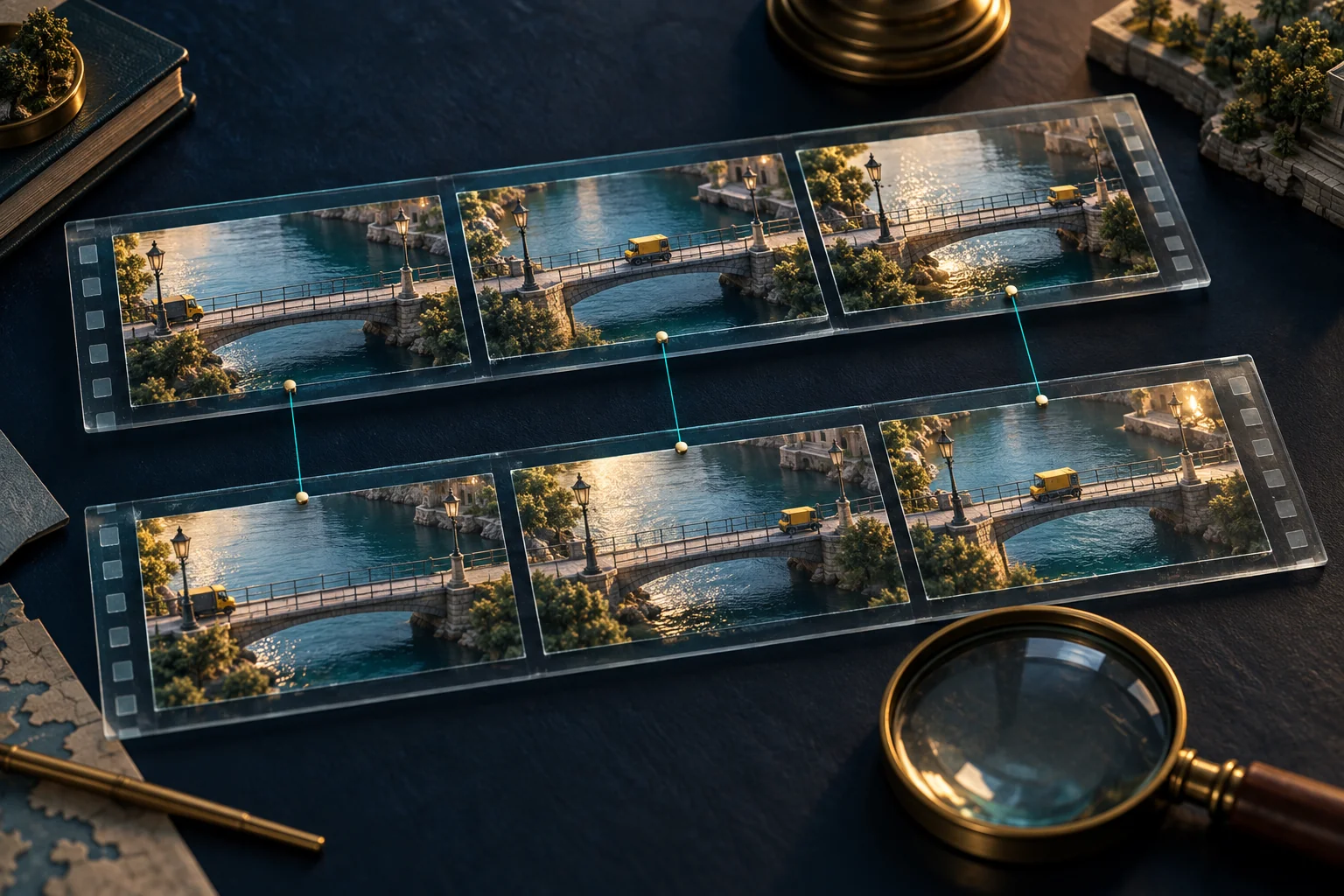
Invented training example: a public post shows a yellow cart leaving a pedestrian bridge, then a barrier closing. Its caption says the closure happened after the cart passed. You find a longer candidate recording containing the same cart, damaged railing and distinctive camera shake.
| Short version A | Longer version B | Visible observation |
|---|---|---|
| 00:00–00:04 | 00:18–00:22 | Cart exits beside the bent railing |
| 00:04–00:08 | 00:05–00:09 | Barrier closes; camera tilts in the same way |
| Absent | 00:09–00:18 | Cart waits, barrier reopens, cart moves through |
The short version presents the later segment first and omits the waiting interval. That is enough to reject the claim that A preserves B’s sequence. It is not enough to prove who made the edit, why they made it, or that B is the first recording.
A useful finding would read: “The two matched segments appear in reverse order in A relative to B. The omitted interval in B contains the barrier reopening. A therefore does not support the caption’s claimed sequence. The authenticity and complete history of B remain unverified.” This describes a checkable result instead of assigning intention.
Keep sound and picture as separate evidence
A smooth soundtrack can bridge a picture cut. Continuous music does not establish uninterrupted filming. Listen near the cut for an abrupt word, repeated sound or sudden change in background noise, and record the exact position. Those observations can guide comparison; compression, editing for length or a damaged copy may also explain them.
If the claim depends on a spoken answer, compare the preceding question and the response in the longer source. If that source is unavailable, say the conversational context remains unresolved. This workflow does not certify a voice, identify a private person or provide a deepfake verdict.
Hand over the comparison, not just a screenshot
Include both source URLs, version labels, the claim, interval table, full-frame captures and the strongest remaining alternative. State whether you inspected both moving clips or only received stills. A reviewer should be able to replay the disputed sequence without guessing your steps.
When a consequential claim depends on several conflicting copies, OSINT Jet’s manual investigation option provides a route to request a scoped review. Send the public sources and one specific question about the edit. Ask what can be established from those materials before expanding the task; a missing source can remain a real limit even in a paid investigation.
Published by OSINT Jet Editorial Team · 30 September 2026