
OSINT Jet · Vehicle listing verification
Vehicle OSINT: Check a Used-Car Listing Without Guessing
A VIN decoder can tell you what a vehicle was built as. It cannot tell you that the seller owns it, that every photograph shows the same car, or that the car is safe. A useful vehicle OSINT check compares the listing, identifier, images and dated records—then hands the mechanical questions to an inspector.
Define the claim before you search
“Check this car” is too vague. Choose one decision question: Does the listing describe one consistent vehicle? Does the decoded model match the advertised trim? Is a clean-history claim supported by the records available in the relevant country? Is the seller’s business identity consistent across its public website and listing?
Keep ownership, identity and condition separate. A valid VIN can belong to a real vehicle while appearing in a copied listing. A clean database result can coexist with unreported damage. Public research can reveal contradictions worth asking about; it cannot replace the title-transfer process, an independent inspection or advice for your jurisdiction.
Save the listing as you found it
Before contacting anyone, record the listing URL, observation time, advertised VIN, price, mileage, location, seller name and every available photo. Keep the original image files when the platform permits. Note exactly which details are seller claims. “One owner,” “no accidents” and “dealer maintained” are not observations simply because they appear in bold type.
Create a small claim table. Put the source beside each statement and leave the verification cell blank until another source supports it. If the listing changes later, your notes should show which version you evaluated.
| Listing claim | Independent check | Possible outcome |
|---|---|---|
| Model year and engine | Official VIN decoder for the market | Matches, conflicts or field unavailable |
| No salvage or theft record | Relevant official or authorized history source | Record found, none found in that dataset, or no coverage |
| Photos show this vehicle | VIN visibility, trim details and image reuse | Consistent, inconsistent or unresolved |
| Seller is an established dealer | Official business/license source and known contact route | Entity exists; listing authority still needs confirmation |
Treat the VIN as an identifier, not a verdict
Transcribe the VIN from the listing, then compare it with photographs of the vehicle’s VIN locations and documents when available. Do not “correct” a character silently. A mismatch may be a typo, a substituted photo or a different vehicle; ask for a clearer source.
For vehicles covered by the United States system, the NHTSA VIN Decoder explains that a 17-character VIN encodes vehicle information and that its displayed data is reported by the manufacturer. Use decoded make, model year, body class, engine and plant fields to test the advertisement. The decoder does not establish ownership, current mileage or present mechanical condition.
History sources have different coverage. The U.S. NMVTIS consumer FAQ lists title, odometer, theft and salvage information that may appear, while stating that repair history is outside the system and updates can arrive on different schedules. NICB VINCheck searches participating insurers’ theft and salvage records and expressly says it is not a comprehensive vehicle-history report. In another country, find the responsible transport or title authority rather than assuming a U.S. result travels with the car.
Ask whether all the photographs tell one story
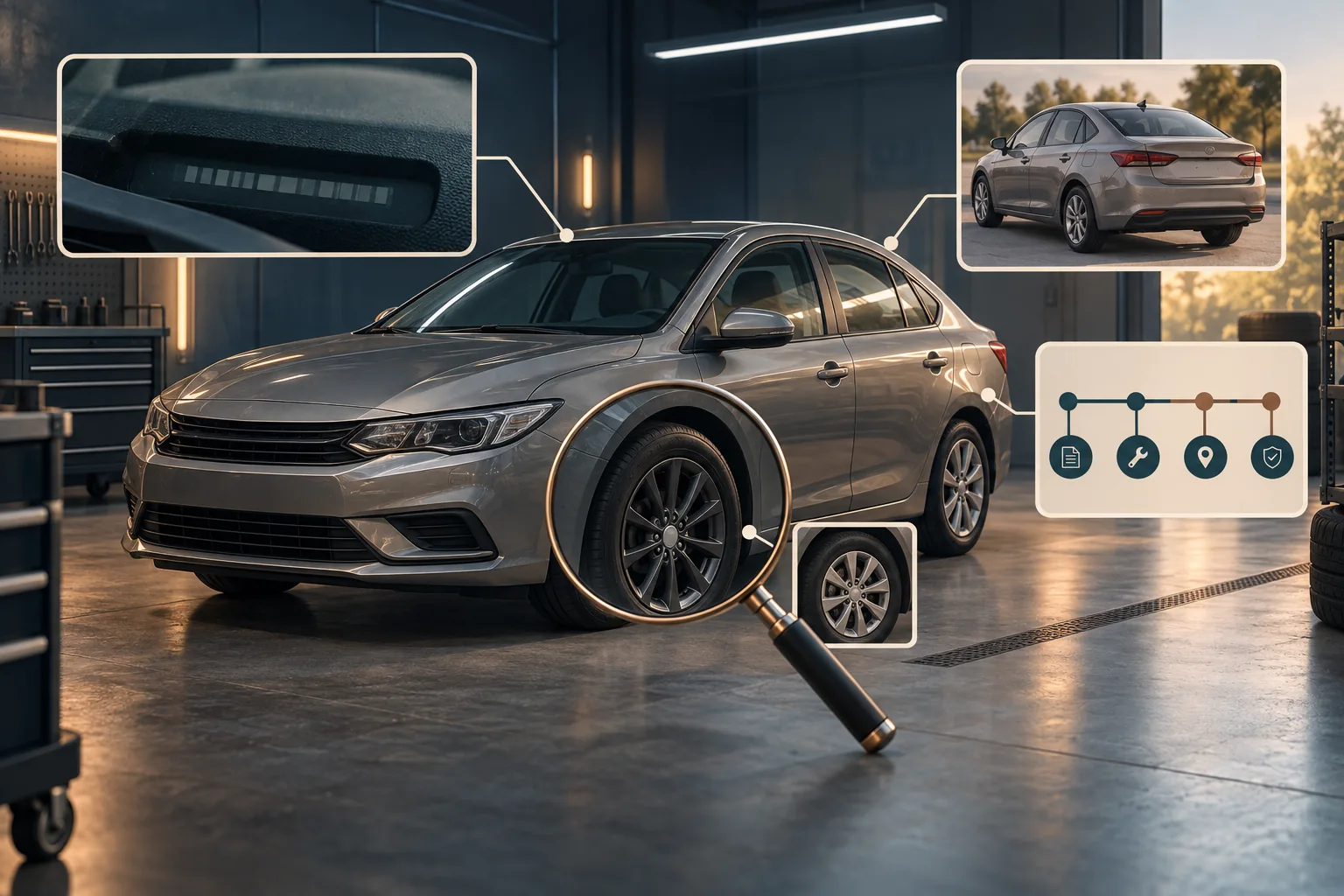
Compare wheel design, headlights, upholstery, badges, scratches, inspection stickers and background across the listing. A studio photo mixed with a driveway photo is not automatically suspicious, but a different wheel count, mirror shape or VIN plate deserves an explanation. Search a distinctive exterior photo to see whether it appeared in an older listing. Our image geolocation guide is useful only when location is part of the question; do not turn an ordinary listing check into an attempt to locate a private seller.
File metadata can be stripped or changed, so it is a supporting clue. The strongest comparison often comes from visible, repeatable details and the page context around each image. If a reverse-image match leads to an auction page, verify that the VIN or unique damage pattern truly matches before linking the two records.
Fictional case: one sedan, two incompatible details
This example is invented. A listing for a 2021 Silver Arc sedan shows a dashboard VIN photo and claims an upgraded engine. The official decoder returns the base engine. Three exterior photos show dark alloy wheels; a fourth has silver wheels and a different rear light shape. A reverse-image search finds that fourth photo in an older advertisement for another model. The free insurance-record check returns no match.
The narrow finding is not “fraud.” It is: the engine claim conflicts with manufacturer-reported VIN data, and one photograph belongs to a visually different vehicle. The clean lookup means only that no matching record appeared within that service’s stated participating-insurer coverage. Ask the seller for a current walk-around showing the VIN and disputed features, obtain the appropriate history report, and arrange an independent inspection.
If the seller cannot resolve the mismatches, walking away may be the lowest-risk decision. More open-web searching will not repair an inconsistent listing.
Finish with a decision record, not a score
Write four lines: what matched, what conflicted, what the checked sources did not cover, and the next offline check. The U.S. FTC used-car guidance says a vehicle-history report is not a substitute for an independent inspection. That distinction applies even when your online work is careful.
Free official tools may be enough for a straightforward listing. If the question spans reused images, a seller’s business domain and several public records, OSINT Jet can help organize those clues and uncertainties into a reviewable case; it is not a mechanical inspection or title authority. Use the company-check workflow for a dealer claim and the report template to document the conclusion. For a scoped report, review the current options.
Published by OSINT Jet · Original publication: 29 September 2026