
OSINT Jet’s main OSINT tools hub
OSINT Tools | Search free tools or build AI-powered reports
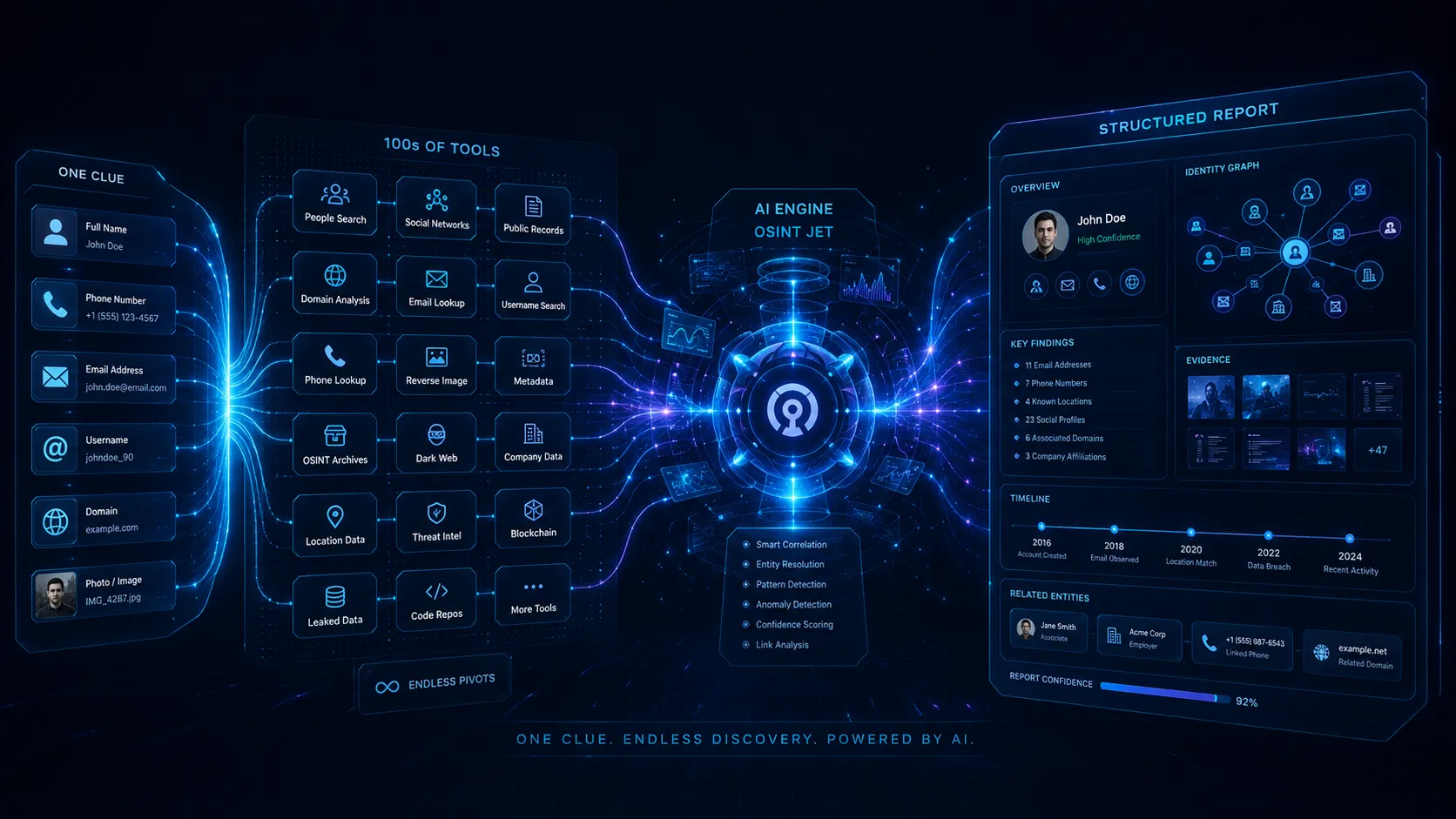
Start with one clue — a phone number, email, username, domain, image, company name or suspicious profile. Use the OSINT Search Tools page to explore public-source search launchers, or send the same clue into the OSINT Jet Intelligence Engine when you need a faster, cleaner, structured report instead of scattered tabs and uncertain matches.
Choose by task, input and limits
Which OSINT tools are best for your investigation?
There is no single best OSINT tool for every task. This comparison is based on the linked maintainers’ documentation, reviewed on 7 September 2026; it is not a speed or accuracy benchmark. External services set their own access rules and prices.
On small screens, scroll the table horizontally to read the access and limitations columns.
| Tool | Input and useful output | Access | Limit to check |
|---|---|---|---|
| OSINT Framework | Choose a clue category to find links to research tools and sources. | Free directory; linked tools may have separate accounts or fees. | A navigation aid, not an investigation engine or identity-verification service. |
| Sherlock | A username becomes candidate profile URLs across supported sites. | Open-source software; local setup required. | Account existence does not prove ownership. Review matches and site errors manually. |
| Maigret | A username becomes a report of candidate accounts and available page information. | Open-source software; the project documents operation without API keys. | Coverage and responses vary by site. A collected profile is still a lead to verify. |
| Shodan | An IP or service query returns indexed banners and Internet-facing service information. | Account and paid products vary by feature; check the current plan. | A dated observation may be stale. It does not prove a person’s location or permission to access a system. |
| Maltego | Entities such as domains become a graph of relationships through data queries and Transforms. | Basic free tier and paid plans; data access and result limits depend on the plan. | A drawn relationship is only as strong as its source. Check the underlying evidence and credits. |
| Have I Been Pwned (HIBP) | An email address can be checked against breach records available to the service. | Public individual checks; sensitive results require verified ownership. | A negative result does not prove no breach. This is exposure checking, not a password or identity lookup. |
Smarter starting point
Find the right investigation path from one simple clue
You should not need twenty open tabs just to understand where to begin. This page helps you choose the right path for a phone number, email, username, domain, image, person name or company — then move into free search tools or an AI-powered report when the case deserves more structure.
Start with the clue type
Phone numbers, emails, usernames, domains, images and company names all need different pivots. The fastest OSINT workflow starts by choosing the right route.
Search manually or go deeper
Use OSINT Search Tools when you want free manual checks. Use the OSINT Jet Intelligence Engine when you need structured findings.
More tools are useful; the right path is better
tools are powerful only when you know what to trust, what to ignore and when manual searching should become a structured report.
From raw clue to useful outcome
Search for free — or turn the clue into a report
A name, phone number, email, username, domain or image can start an investigation. If you want to search manually, go to OSINT Search Tools, where the free launchers live. If the case is important, sensitive, messy or time-consuming, use OSINT Jet to build a structured intelligence report.
- Detect the clue type and choose the most relevant OSINT route.
- Open free search tools and launchers from one command center.
- Reduce false matches, outdated data, unclear sources and duplicate profiles.
- Move from manual searching to structured reporting when the stakes are higher.

Choose your next move
free tools for starting fast. AI-powered reports for serious cases.
When you want to explore manually, the free search tools are ready. When you want speed, clarity and a clean summary of links, evidence and confidence, OSINT Jet turns the clue trail into a structured report.
Pick the right tool path
Which OSINT route should you use for each clue?
The best starting point is not the tool name; it is the clue type. Use the map below to choose the right route before opening a search launcher or building a report.
| Clue type | Manual OSINT route | Common manual error | English topic page |
|---|---|---|---|
| Phone number | Number format, messaging apps, scam signals, public reports and related identifiers. | Old owner, virtual number, recycled number or weak identity match. | Phone Number OSINT and phone guide |
| Email address | Domain checks, breach exposure, account links, name patterns and public search. | Misreading breach data, aliases, shared inboxes or unclear dates. | Email OSINT and email guide |
| Username | Cross-platform handles, social profiles, forums, code repositories and archived traces. | Same handle used by different people, fake accounts or abandoned profiles. | Username OSINT and username guide |
| Domain or website | WHOIS, DNS, web archives, subdomains, SSL, redirects, ownership and scam signals. | Hidden ownership, historical changes, misleading redirects or incomplete WHOIS data. | Domain OSINT and domain guide |
| Company or business claim | Company records, domain history, social presence, address, team, news and risk signals. | Shell entities, exaggerated claims, wrong address, hidden links or similar brand names. | Company OSINT and company guide |
| Image | Reverse image search, visual matches, archives, context checks and profile connections. | Stolen photos, fake profiles, old images or uncertain visual matches. | Image OSINT |
| Scam or fraud signal | Domain, phone, email, profile, company, payment trail, public claims and risk reports. | Trusting one source too quickly, missing contradictions or lacking a clear evidence trail. | Scam & Fraud OSINT and scam guide |

Free tools vs structured intelligence
Free OSINT tools are great for starting. They are not always enough.
OSINT Jet gives you the free search tools instead of hiding them. But when the trail becomes noisy — too many tabs, lookalike profiles, stale data and weak matches — manual OSINT can create serious uncertainty. The AI engine helps connect clues and shape the result into something easier to review.
OSINT Search Tools
Best for learning, starting, pivoting and running manual checks across tools and launchers.
OSINT Jet Intelligence Engine
Best for serious cases where you need clarity, evidence, links, confidence and a structured report.
Explore the OSINT Jet knowledge base
Useful pages and guides for OSINT tools
Go deeper into the exact clue type you have, then open the search tools or build a structured report when you need a clean output.
FAQ
OSINT tools questions
What are OSINT tools?
OSINT tools are search engines, public databases, archives, analysis utilities and investigation paths used to examine publicly available information such as phone numbers, emails, usernames, domains, images, companies and scam signals.
Where are the free OSINT search tools in OSINT Jet?
The free search tools and launchers live on the OSINT Search Tools page. It contains paths for starting manual research from clues such as phones, emails, usernames, domains, images and companies.
How do I choose between free search tools and an AI-powered report?
Use the free OSINT search tools when you want to explore manually. Use the OSINT Jet Intelligence Engine when results become noisy, conflicting, important or time-consuming and you need a structured report.
Are free OSINT search tools enough for final conclusions?
Not always. Free tools are useful for starting, but reliable conclusions require source validation, date checks, context, false-match reduction and sometimes structured reporting.
Where should I start with a phone, email or username?
Start by identifying the clue type, then open OSINT Search Tools and choose the relevant route. If the trail gets messy or sensitive, move the clue into OSINT Jet for a structured report.
What does the OSINT Jet Intelligence Engine do?
It helps examine a clue across multiple paths, connect related signals, organize evidence, reduce noise and generate a clearer structured OSINT report.
Start with free OSINT tools. Move to AI when the case gets serious.
Explore manually with OSINT search tools, or send one clue into OSINT Jet when you need a cleaner report with links, evidence, entities and confidence signals.
Choose the lesson that explains your tool’s output
A tool name helps you find a service. Understanding its output helps you decide what to do next. Use the question you are stuck on to choose a short, relevant guide.
- My web search is too broad.
- The advanced Google search examples show how a change in the query changes the search’s purpose. Record the source you opened, rather than relying on a result count.
- I found a directory, but not the right resource.
- Follow the OSINT Framework resource-selection walkthrough to move from a clue category to a source worth assessing.
- A domain record has several unfamiliar fields.
- The worked domain-record example separates registration and DNS observations from conclusions about the website.
- A username tool says it found a profile.
- Use the Sherlock false-match lab to understand why a detection rule and the underlying page both matter.
- I have an IP, port or software label from Shodan.
- The guide to reading Shodan records helps you preserve the observation date and avoid turning a technical field into an unsupported ownership claim.
- The lookups are finished, but the conclusion is unclear.
- Use the report template with an evidence ledger to attach sources and reasoning to your findings.
For an ordered practice route, continue to OSINT training with six practical lessons. For a live case involving connected clues, review the OSINT Jet reporting workflow and decide whether it fits the question you need to answer.
Explore this topic
Choose between a lookup and a case workflow
Try a small preparation exercise to understand a tool output. When the question involves several sources, learn how the AI engine organizes the clues and findings into a report for review.